Description
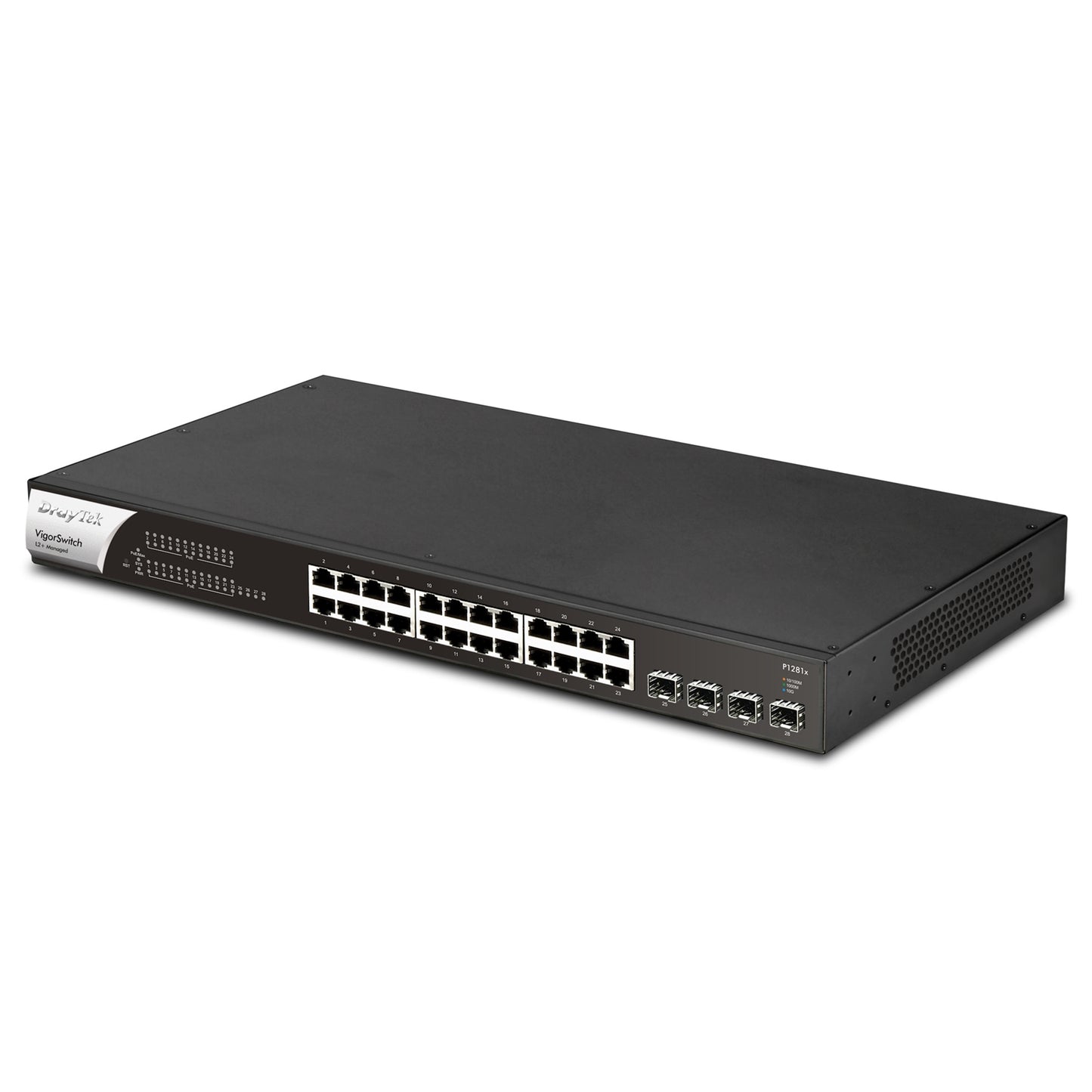
DrayTek VSP1281X-K VigorSwitch P1281x 24 Port Gigabit POE Smart Managed Switch with 4x 10GbE SFP Ports
VigorSwitch P1281x 24 Port GbE 4 Ports 10Gbps SFP+ Switch with PoE/PoE+VigorSwitch P1281x is a smart switch with 24 x GbE PoE+ Ports (total of 140W output) and 4 additional independent SFP+ 10Gbps interfaces. Use the SFP+ interfaces for high-speed uplinks between switches, servers and network attached storage devices at up to 10Gbps per port. Designed for centralised management, the VigorSwitch P1281x can be provisioned and monitored with the VigorACS management platform, the free VigorConnect single site management system or, with a DrayTek Vigor routers Central Switch Management. Easily provision VLAN configuration through the router and clone switch configurations. Drastically reduce the setup time required for a complex network and configure an entire DrayTek network remotely. 24 RJ-45 Ethernet PoE+ Ports 10/100/1000Mbps4 x SFP+ 10GbE Ports for Uplink / FibrePoE (Power-over-Ethernet) for IP phones, wireless access points, IP cameras etc.140-watt Power-over-Ethernet budgetCloud Managed with VigorACS1q VLANs with Dynamic MAC-based, Voice & Surveillance VLANONVIF IP Camera Surveillance Management with PoE Device CheckAccess Control List (ACL) for port & traffic level securityPort Mirroring & Link AggregationIGMP Snooping & QueryingIPv4 and IPv6 Support with IP Conflict PreventionCentrally managed or standalone operation QoS: Support 8 priority queuesPort-Based rate control (Ingress & Egress)Priority queue schedule (WRR or Strict Priority)Rate LimitClass of Service> 802.1p CoS> DSCP> CoS-DSCP> IP Precedence ToS Spanning Tree: Spanning Tree Protocol (STP)Rapid Spanning Tree Protocol (RSTP) ONVIF Surveillance Management: Discovery of ONVIF-compliant IP CamerasSurveillance TopologyReal-Time Video StreamingONVIF Device Maintenance> Device Information> Network Settings Configuration> Time Settings> Reboot> Reset to Factory Default Settings> Ping Check with Mail Alert on disconnection Diagnostics: Port Status & Usage displayRAM Usage displayMAC Address TableDevice CheckSyslogMail Alert> Port Status> Port Speed Change> System Restart> Device Check> IP Conflict> ONVIF IP Camera SnapshotPort MirroringPing DiagnosticsPort-based Cable Test Warranty: Standard: Two (2) Year, RTBSoftware security updates3 years after the EOL notification. Please note that this only applies to products sold in the UKOptional VigorCare Enhanced Warranty Available> VigorCare C3 3 Year Subscription: VCARE-C3> VigorCare C5 5 Year Subscription: VCARE-C5
Specs
Network
| Network Security | IP Source Guard with ARP inspectionStorm Control (Broadcast, Unknown Multicast, Unknown Unicast)DoS Attack protectionProtected Port / Port IsolationStatic Port SecurityLoop Detection & PreventionAccess Control Lists (ACL)> Up to 512 ACL Entries> Source and destination MAC> VLAN ID> IPv4/v6 address> Protocol> TCP/UDP port |
| Link Aggregation | Combine multiple ports to increase bandwidth8 Aggregation GroupsUp to 8 ports in each groupLACP or Static setupSupports traffic load balancing |
| Networking Performance | Switching Capacity: 56 GbpsForwarding Rate: 41.7 Mpps at 64 bytesMAC Addresses Supported: 8kJumbo Frames up to 9KBPacket Buffer size: 4.2Mbit |
| Multicast | IGMP Snooping V2/V3 (BISS)IGMP V2/V3 Querier |
| Management | Web User Interface (HTTP or HTTPS)HTTP (non-TLS) can be disabled for increased securityCommand Line Interface (CLI) via SSH/TelnetCentral Management> VigorACS> VigorConnect> Vigor Router Switch ManagementFirmware Upgrade/BackupConfiguration Backup/RestoreIPv4 & IPv6 Dual-StackFactory DefaultSystem Reboot2-level Admin PrivilegesMultiple Admin AccountsOpenVPN Client with Certificate-based authSNMP v1, v2c, v3 (with Generic Traps)SNTP (Simple Network Time Protocol)LLDP(802.1ab) + MEDONVIF IP Camera Management |
| IPv4 Features | DHCP ClientDNS Client |
| IPv6 Features | Auto ConfigurationStatic IPv6 Address & Prefix LengthStatic IPv6 Default GatewayIPv6 Neighbour Discovery (ND)IPv6 Duplicate Address DetectionICMPv6DHCPv6 Client |
| General IEEE Standards Compliance | 802.3af PoE802.3at PoE+802.3 10Base-T802.3u 100Base-T802.3ab 1000Base-T802.3ae 10GBase-T802.3x Flow Control Capability802.3 Auto-negotiation802.3ad Port trunk with LACP802.3az Energy Efficient Ethernet802.1q VLAN802.1p Class of Service802.1d Spanning Tree (STP)802.1w Rapid Spanning Tree (RSTP)802.1ab Link Layer Discovery Protocol (LLDP) |
| Operating Requirements | Power Input Requirements: 100-240VACPower supply: InternalMaximum Input Power Consumption: 200W at 2.5ACooling: Passively cooledOperating Temperature: 0 �C to 50 �CStorage Temperature: -20 �C to 70 �COperating Humidity: 10% to 90% (non-condensing)Storage Humidity: 5% to 90% (non-condensing) |
| Physical Specifications | Dimensions (W x D x H): 440 x 216 x 44 mmWeight (excluding SFP modules/cables): 3.25 kgRack mountable: 1U> Brackets included for rack mounting |
| Box Contents | VigorSwitch P1281x Network SwitchUK IEC13 Power Cable1U Rack Mount FittingsQuick Start Guide |
Other
| Physical Interfaces | 24 RJ-45 Ethernet PoE+ Ports 10/100/1000Mbps4 SFP+ Ports 1000Mbps/10GbpsFactory Reset Button |
| PoE Specification | 24 Power over Ethernet LAN ports - PoE PSEIEEE 802.3af PoE & 802.3at PoE+ (High Power) compliant140 Watts Total Power Budget for PoEUp to 30 watts per portAuto Detection of Powered Device (PD) and Consumption LevelsPer Port PoE Status LED IndicatorsAlert LED for high PoE UsagePort Power Consumption Monitoring via Web Interface & CLICircuit Protection to Prevent Power Interference between PortsPoE PD Monitoring & Maintenance Features (per port)> Scheduling> PoE PD Priority> Restart PoE PD if not responding to ping> Restart PoE IP Camera if not providing camera output |